More grip on complex IT projects
PM Toolkit brings planning, resources, budget, risks and reporting together in one environment — so project managers spend less time on administration and organizations put their IT capacity to better use.
Start with PM Toolkit for project planning, resources, budgets and time tracking. Easily expand to PM Toolkit PMO Edition for portfolio-wide dashboards, budget control and executive reporting across every project as your organization grows.
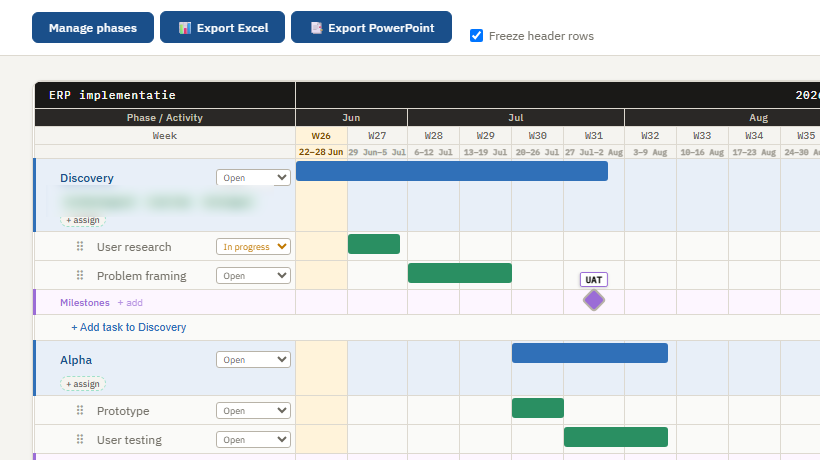
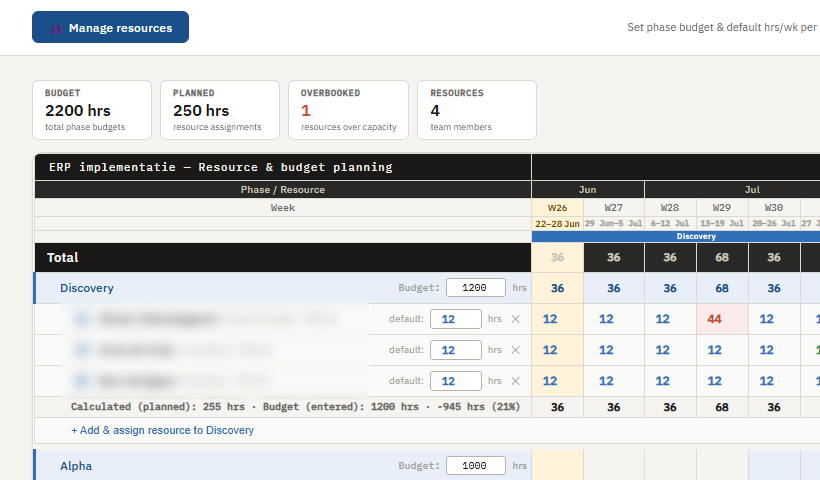
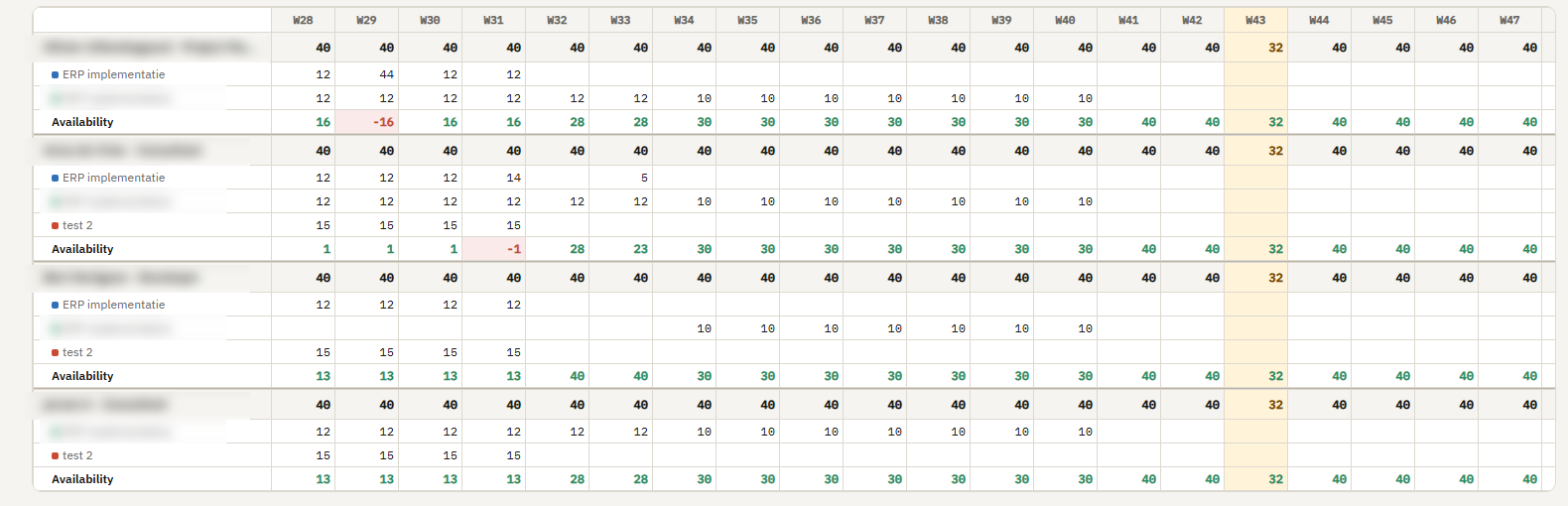
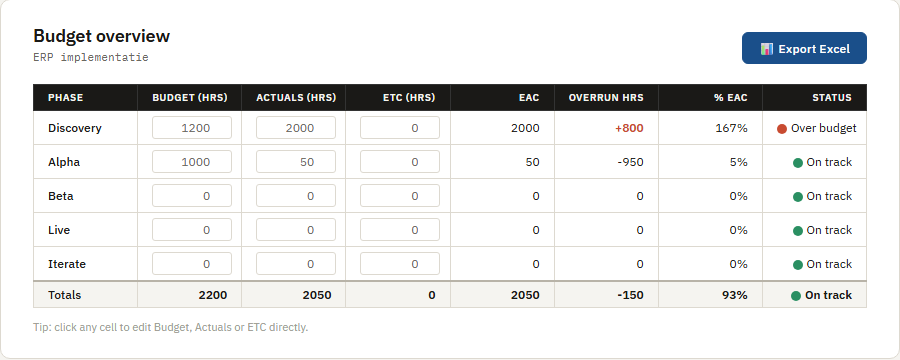
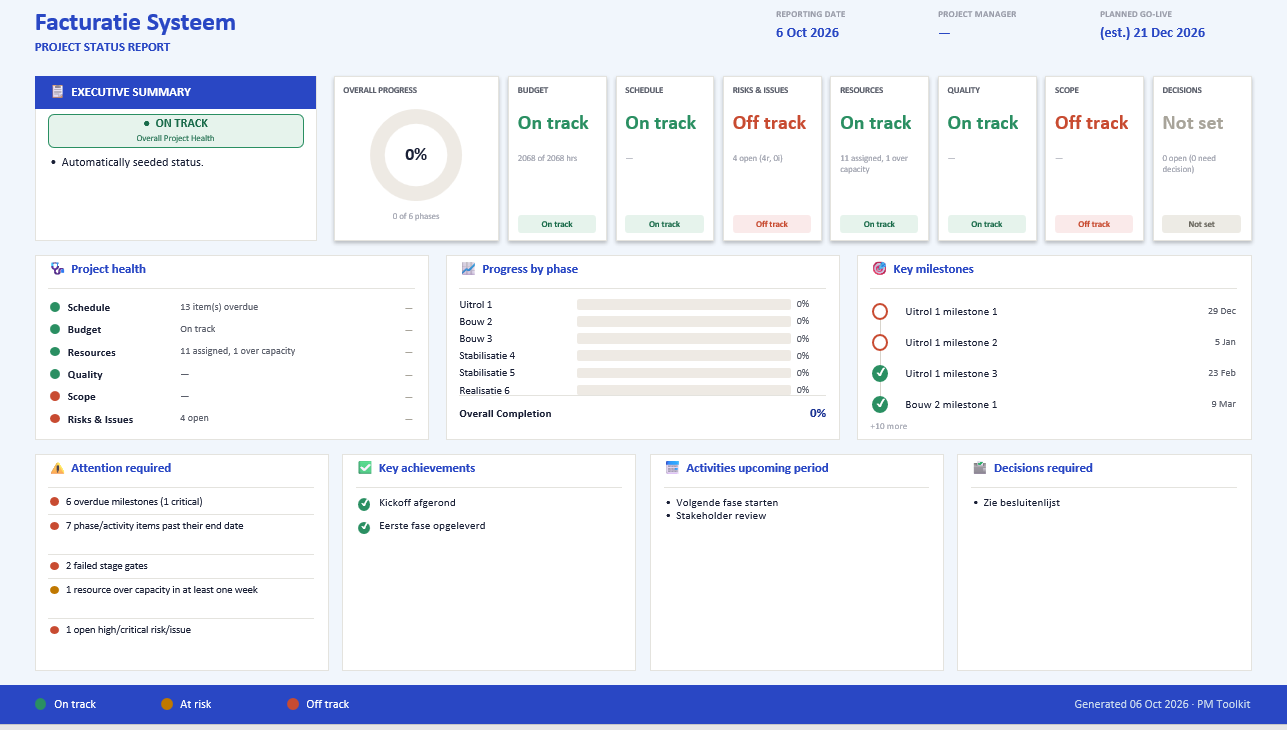
Everything you need to plan projects, steer capacity and report professionally.
Project information is fragmented — and assembled by hand
Recognizable for anyone running IT projects or a PMO:
Project information spread across Excel, PowerPoint and separate tools
Every project its own template and way of working
Monthly reports assembled by hand, project by project
Resource capacity is hard to see — people get overbooked or underused
Planning doesn’t always reflect what’s actually being spent
You already have the information. Why does it take so much time to turn it into one reliable overview?
Less administration. More time for project management.
In my own work, I’ve seen organizations where project managers spend more than 25% of their valuable time on monthly reporting.
Not managing the project — collecting, checking and merging information from different sources, updating spreadsheets, formatting slides.
PM Toolkit brings project information together in one environment, so planning, resources, budget, risks, decisions, milestones and status can be used from the same source for reporting — making reporting easier and cutting down on manual work.
10 PMs/PMOs · 160 working hours per month each · 20% of that time (32 hrs/month) on reporting · €110/hour
Costs you: roughly €35,000 per month — about €420,000 per year
Cut that time by 20%: roughly €7,000 per month saved — about €84,000 per year
Our own illustrative example with the assumptions above (10 PMs/PMOs, 160 hrs/month, €110/hour), not a guarantee — your own numbers determine the real saving.
From fragmented to standardized
Replace scattered Excel files, manual reporting and fragmented ways of working with one central platform for planning, resources and project reporting.
Before
- Separate Excel files for planning, resources and budget
- Different templates and ways of working per project
- Monthly reports assembled by hand
- Limited visibility into total resource capacity
- Resources over- or underbooked without anyone noticing
With PM Toolkit
- One environment for planning, resources, budget and project information
- One consistent way of working, with fixed yet flexible templates
- Faster reporting, from the same up-to-date project information
- Visibility into capacity across the full resource pool
- Planned versus actual effort, side by side
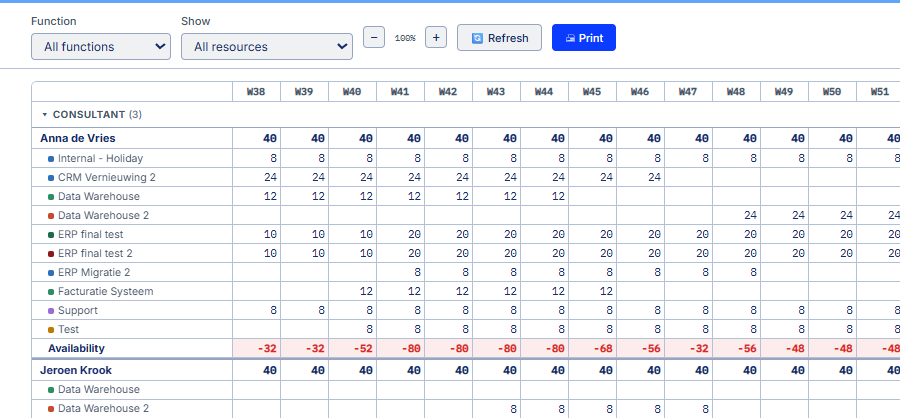
Where is there room? Who is fully booked?
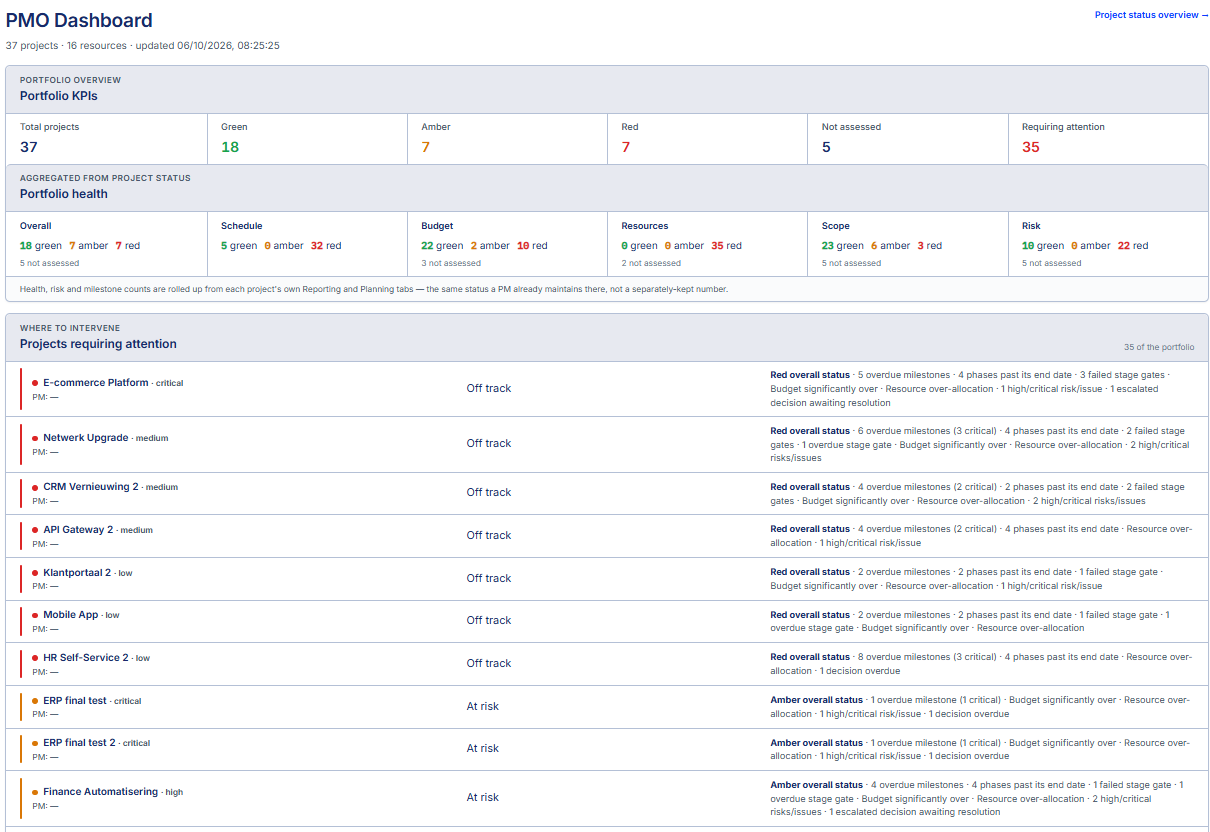
Many organizations know who is planned on which project, but lack one clear view of actual utilization and available capacity. PM Toolkit brings planning, capacity and actual time together, so you can see in one overview where there’s room and where capacity is tight — and give PMO and management portfolio-wide visibility without manually rebuilding every project’s information.
- See available and allocated capacity across the whole resource pool
- Spot overbooked and underutilized resources
- Compare planned versus actual effort
- One portfolio dashboard and one risk overview, built from the same project information every PM already maintains
Why organizations choose PM Toolkit
Less administration, more insight, and more effective use of scarce IT capacity — built around how IT projects actually run.
Less administration
Less manual work for project managers and PMO, with reporting from the same project information.
More insight
One overview of project information, portfolio status and resource capacity.
More with less
Put scarce IT capacity to more effective use by seeing where there’s room and where it’s tight.
One consistent way of working
Fixed yet flexible templates, so every project manager plans, steers and reports the same way.
Built for IT projects
Not a generic task tool — shaped around the realities of IT project and programme management.
Who is PM Toolkit for?
Built for anyone who wants grip on IT projects — whether IT is your core business or not.
Project managers
Less administration, better control over planning, resources and progress.
PMOs
Standardized information and portfolio visibility, without manually consolidating every project.
IT management, IT Directors & Program directors
Better insight into project status, budget, risks and resource capacity.
Consultancy & IT service providers
One consistent way of working across projects and project managers.
One annual license per organization
Self-hosted on your own server, no per-user billing surprises — just two straightforward tiers.
Full Users manage projects; Time Users only log their own hours.
PM Toolkit
Up to 10 Full Users + 50 Time Users
For teams planning, managing and reporting on IT projects.
- Project planning & scheduling
- Resource & capacity planning
- Budget tracking, risks, decisions & milestones
- Time tracking (optional, switch off anytime)
- Shareable published plans & status pages
PM Toolkit PMO Edition
Up to 25 Full Users + 100 Time Users
For organizations managing multiple IT projects and a portfolio.
- Everything in PM Toolkit
- Portfolio-wide dashboard across all projects
- Portfolio budget, resources & risk rollups
- Portfolio-wide time reporting
- Executive reporting & governance
Annual license, including on-premise deployment, updates and support — installed on your own infrastructure (Docker). Need more seats or a custom arrangement? Just ask.
Done with complex project tools?
Start with an overview instead.
Request a demoFree walkthrough. No obligation.